
How to import and edit MP4 video in Vegas Pro 23?
Vegas Pro 23 won’t import MP4 files produced by iPhone, Canon, DJI or other devices/programs? The best solution is convert MP4 to Vegas Pro 23 best editing format.
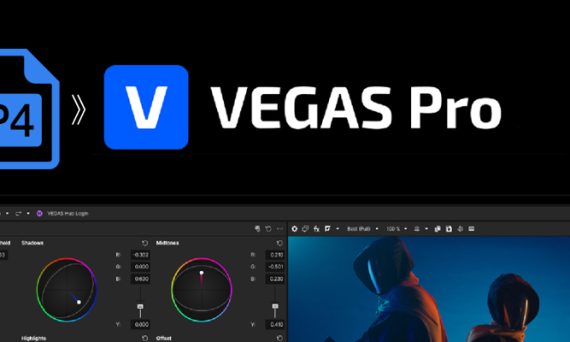
Vegas Pro 23 won’t import MP4 files produced by iPhone, Canon, DJI or other devices/programs? The best solution is convert MP4 to Vegas Pro 23 best editing format.
What video format is the best video format for your TV (Samsung, LG, Sharp, Sony, Panasonic, Philips, Vizio, TCL, etc)? How to watch movies on TV via USB? MKV and AVI both are common and popular format, if your TV can’t play them, what a pity! Don’t be discouraged. We’ll share the best TV format solutions with you. Let you play all movies (Blu-ray, DVD, MKV, AVI, MP4, MOV, M4V, WMV, FLV, VOB, AVCHD, MTS, M2TS, MXF …) on your Smart TV, LED TV, LCD TV, OLED TV, 4K TV, 4K Ultra HD TV in 1080P or 4K resolution via USB port.
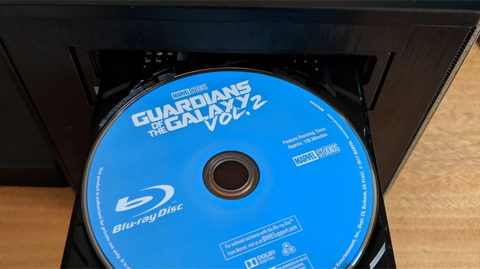
If you are a movie lover and have tons of Blu-ray discs, you may need a Blu-ray ripping program to make digital backups of your movie collection, so that you can watch them on various devices whenever and wherever you want, such as iPad Air, iPad Pro, iPad Mini, Galaxy Tab, Galaxy S25 Ultra, Surface Pro, iPhone 16 Pro Max, Surface Book, Google Pixel Slate, Smart TV and more.
Which Windows 10 Blu-ray Ripper should I choose in 2021? Acrok Blu-ray Ripper is the most comprehensive Blu-ray ripping program to help you easily rip Blu-ray and convert to video in various formats for further use.
Netflix is a movie service that sends subscribers DVDs of popular movies in the mail. You can set up a list of movies you want online, and the movies are delivered directly to your door. However, you can only watch these DVDs for only a short period of time.
For Apple TV 3, the best improvement is the definition, it enables the display of Full HD 1080p videos with 5.1 surround sound. With Apple TV 3, the picture you see and the sound you hear is in a higher level than ever. To watch 1080p movies on Apple TV, you can purchase from iTunes store, however, the price is high.

It’s great to own 4K TV, no matter Smart TV or HDTV. You may find, with the development of the industry, the display of TV is getting better and better. How to play our downloaded movies on our 4K TV with the gorgeous screen? Play movies on 4K TV via USB port is your best choice.
If you own a camcorder like HDC-TM700/HS700/SD700 (1080 60p/50p), Sony HDR-CX350, HDR-XR520, Canon HF S21/S200, JVC Everio GZ-HM1, which creating native 1080p AVCHD MTS or M2TS files, you may have recorded lots of family videos and party shootings that you’d like to view on HDTV or other big screen.
Hello, guys. Today, I’ll show you how to transfer DVD/CD to USB Flash Drive for playing. Copying DVDs to USB Flash Drive is a relatively simple process. In only a few steps, you can be on your way to enjoying movies and HDTV shows anywhere.
It is so exciting to watch 1080P HD movies on HD TV. Especially 3D movies, it can bring you more shock. We can download 720P/1080P movies form free movie download sites, how to watch 720P movies on TV in 1080P? Please don’t worry, below guide will show you step by step guide: Convert 720P to 1080P.